Hi everybody! Keeping
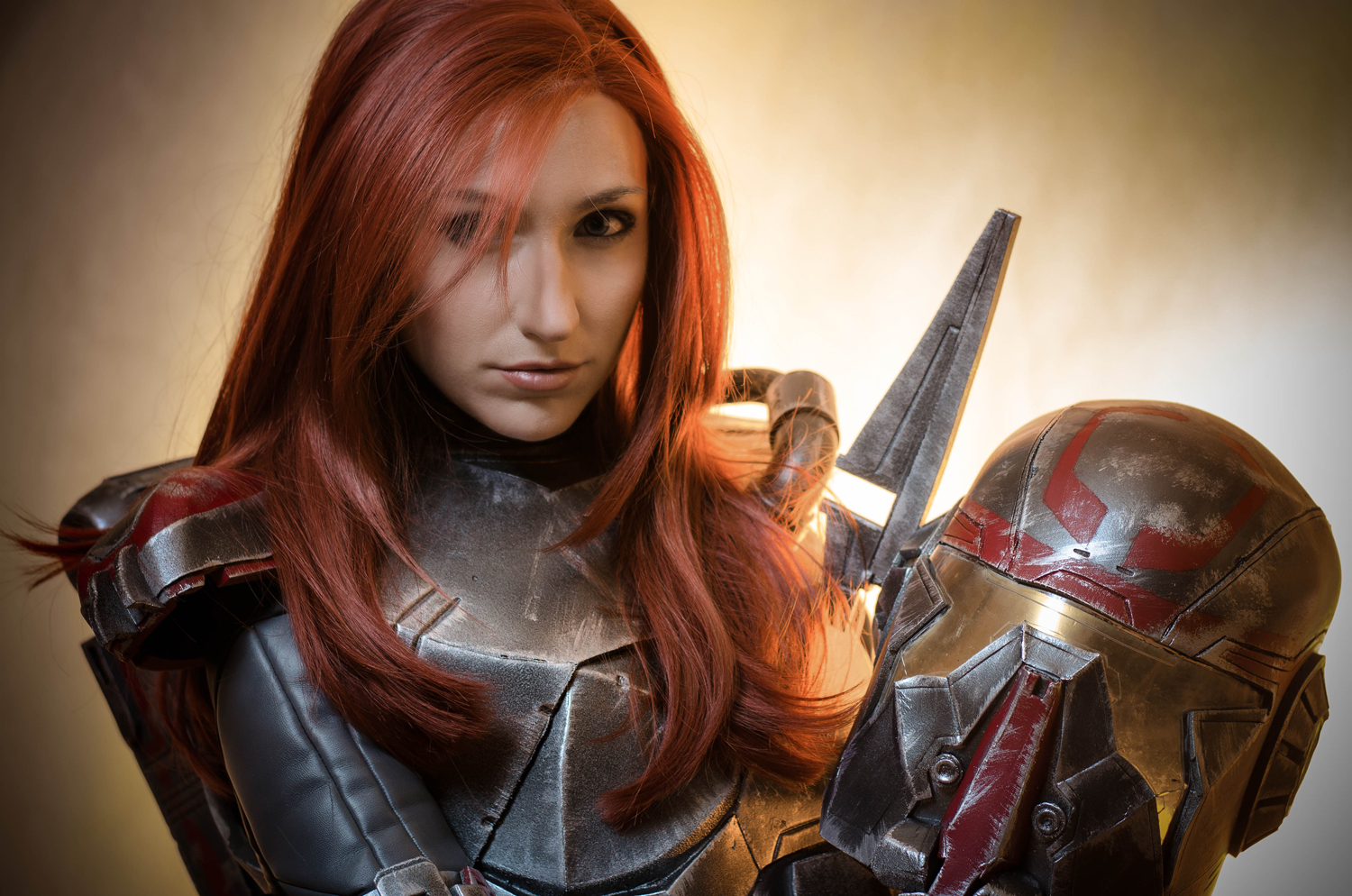
up with my Shae Vizla entries, today I’m talking about the Helmet construction.
I’m bad at making helmets. I’m scared of them
and they take an extra effort for me to make. To make this one, I boughtFirefeck’s Pepakura model and I modified it to make it using craft foam.
As you may already know, Pepakura is a software
that unfolds 3D models and makes them suitable to be printed and crafted in
paper. There are two Pepakura programs: Viewer, that, as its own name says,
reproduces the model. And the Pepakura designer, that lets us alter the model
depending on our needs.
Before starting my explanantion, I highly
recommend you to visit Heroes Workshop. It’s the channel where I learnt how to
do all this stuff.

Pepakura models are usually prepared to be
printed and crafted on paper, so they have a lot of thin pieces that correspond
with the edges of the replica we’re reproducing. Craft foam comes in different
thicknesses so, to make a prop with this material, we have to get rid of all
those tiny and laborious to glue pieces.
I don’t know if I explained myself correctly. Hope pictures make it
understandable.
 |
| Modelo original / Original model by Fierfeck. |
So, as I said before, I removed all the edge
pieces from the template leaving only the structural ones.
Pepakura also let us change the number and
layout of the joints between pieces to simplify the model (or to complicate it,
depending on our needs).There are lots of possible combinations in each part
and you can change the disposition by selecting each arista and choosing
whether we want to join them to adjacent polygons. You’ll see that, trying to
join or separate aristas, the program sometimes generates new ones in order to
keep the relieves of the original model (that’sa good thing), so you’ll have to
try till you find a nice combination. Explaining this is complicated so, check
out this tutorial in case you need a clear explanation.
 |
| Original file. |
 |
| Modificando las aristas / Changing the connections. |
Once I modified the file to my needs, I got the
base helmet pieces clearly differentiated, simplified and ready to print on
paper.
 |
| Modelo final modificado y listo para pasar a goma eva / Final altered file ready to craft on foam. |


And here comes the next Pepakura hack to make
the most of our craft foam material and save us a lot of time and effort: If we
want to reproduce a model in paper, we’ll have to glue together lots of little
polygons because this material is not moldable and there’s no other way to get
complicated shapes with paper. But craft foam is a plastic material that can be
heat molded. So, after printing the model on paper, I joined all the parts of
each piece together to get the final shape of each piece. Then I cut the foam
pieces with some extra edges (because at this point is difficult to know the
exact final shape), and I heat shaped it using an spherical object. Once again, you can see it clearer in this Heroes Workshop tutorial.


It’s a very practical technique because it
saves us from cutting, gluing a and sanding a lot to get an even and smooth
surface. You just have to make a 3D pattern in paper and heat shape the foam.
I prepared the foam pieces in a
way the joints match the carved lines along the helmet so, once again, I
avoided needlessly sanding.

Once I had the basic shape together, I added
the details. For example, I glued the lateral ornaments on a plastic circle so
the LED lights would be visible trough. I filled and sanded the seams.


To finish it, I used the heat knife to carve
the lines along the structure.
The viewfinder is made with several materials:
a clear 3mm PVC sheet over a yellow acetate and a silver solar sheet to give it
that metallic look. Solar sheets are super cool because they let you see quite
well from the inside but they can’t see you from the outside, so you can get
that intriguing and futuristic look.
Once again, I used the heat knife to carve some
details on the viewfinder.

Assembling it was tough because, it doesn’t
matter how accurate the patterns are, errors accumulate during the construction
and nothing fits perfectly. I ended up opening a rail in the adjacent edges
with the heat knife and I inlayed it. It was difficult to inlay because, once I
had one side inside, the other one popped out. But I finally made it and I
fixed it with cianocrylate.

Last but not least, I assembled the
rangefinder. I used a couple neodymium magnets (another new material for me
that I’m definitely using a lot more) to make it detachable to avoid ruining it
inside the bag. Then I added the servomotor and all the electronic
paraphernalia that I’ll explain in the upcoming entries. By now I think you
have a lot of information to process.


And that’s all! See you next week.
As always, feel free to ask anything (cosplay
related) in the comments or contact me trough my social media (facebook,
twitter…)
Thanks for Reading!